> ## Documentation Index
> Fetch the complete documentation index at: https://docs.voltic.one/llms.txt
> Use this file to discover all available pages before exploring further.
# Install the VolticHub and Zigbee Repeaters
> Connect and mount the VolticHub and Zigbee repeaters correctly to ensure coverage in all hotel rooms.
The VolticHub is the coordinator of the Zigbee network. Its correct installation is essential to ensure connectivity for all devices within the rooms. Always install it before mounting the devices in each room.
This step is the first and most critical of the entire installation. Without the Hub properly connected, no sensor or actuator on the floor will work.
## Recommended location
* **Technical space or hallway ceiling** on the corresponding floor
* With **accessibility and clear visibility** (avoid metal cabinets or shielded areas)
* The antenna must be at **90 degrees (perpendicular to the hub)**
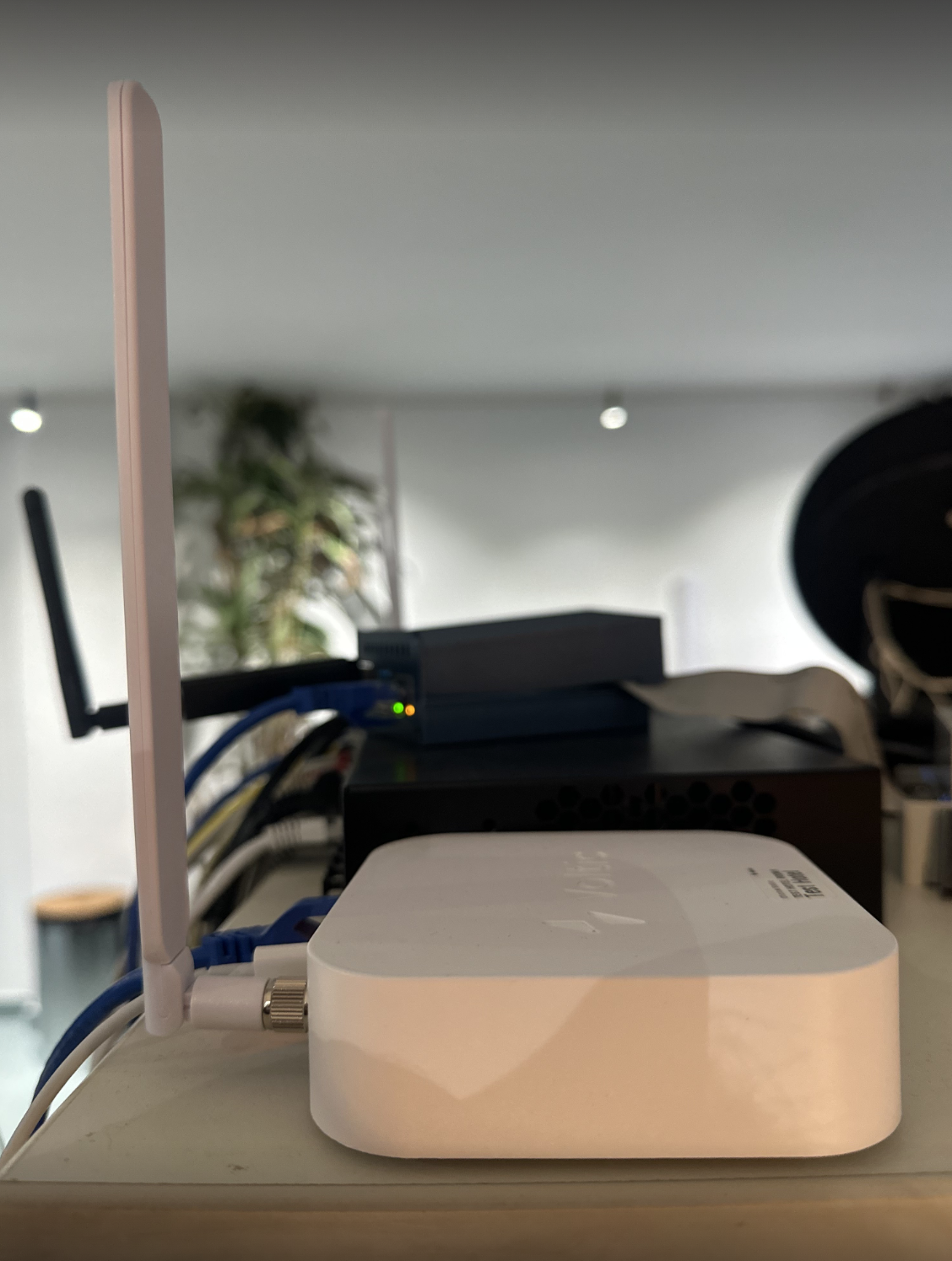
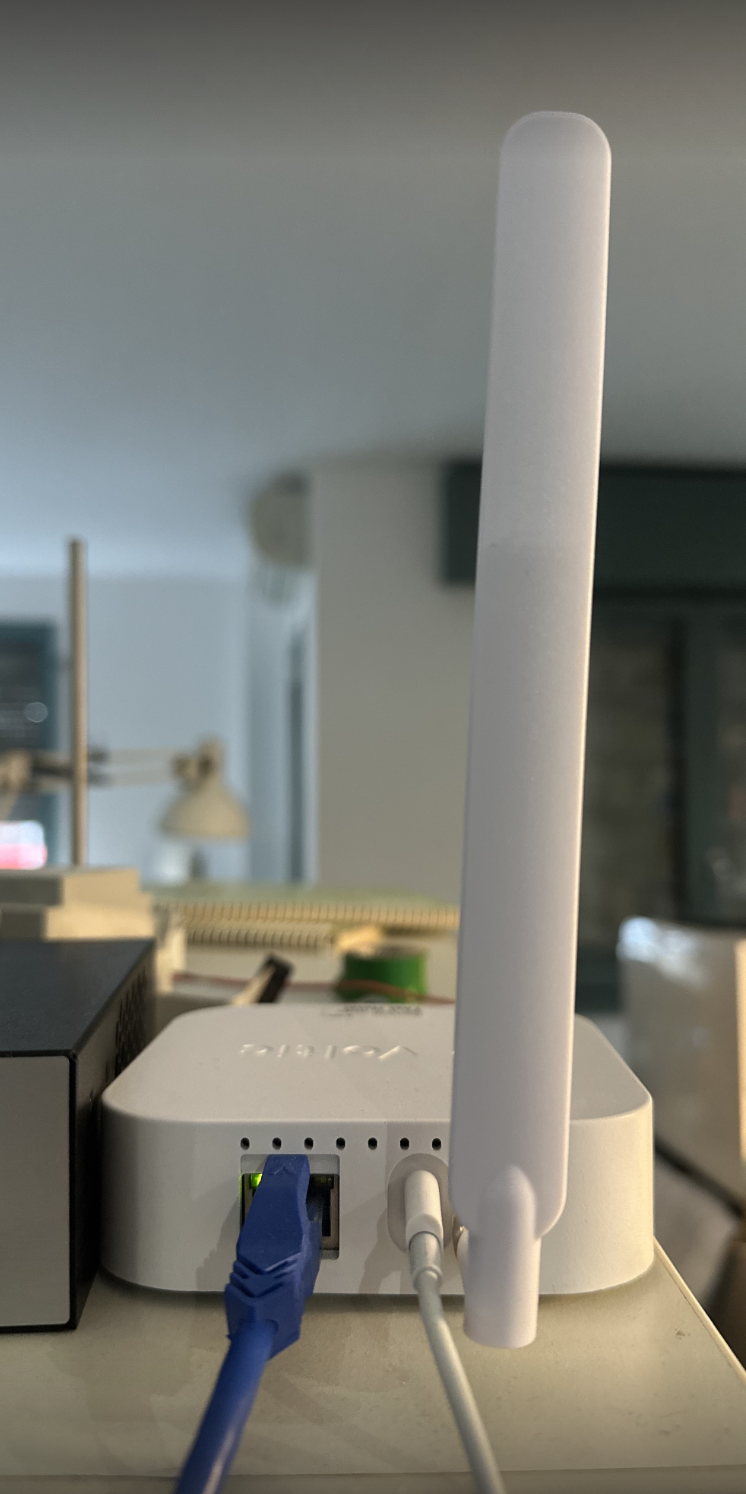
## VolticHub connection
Connect the Ethernet cable (RJ45) to the Hub port before plugging in the power. This ensures the Hub boots with available network connectivity.
Once the Ethernet is connected, connect the 230V power supply to the Hub. Wait a few minutes for the system to start correctly.
Always connect the RJ45 before the power supply. If you reverse the order, the Hub may boot in Wi-Fi mode even if Ethernet is available.
## Connection diagram
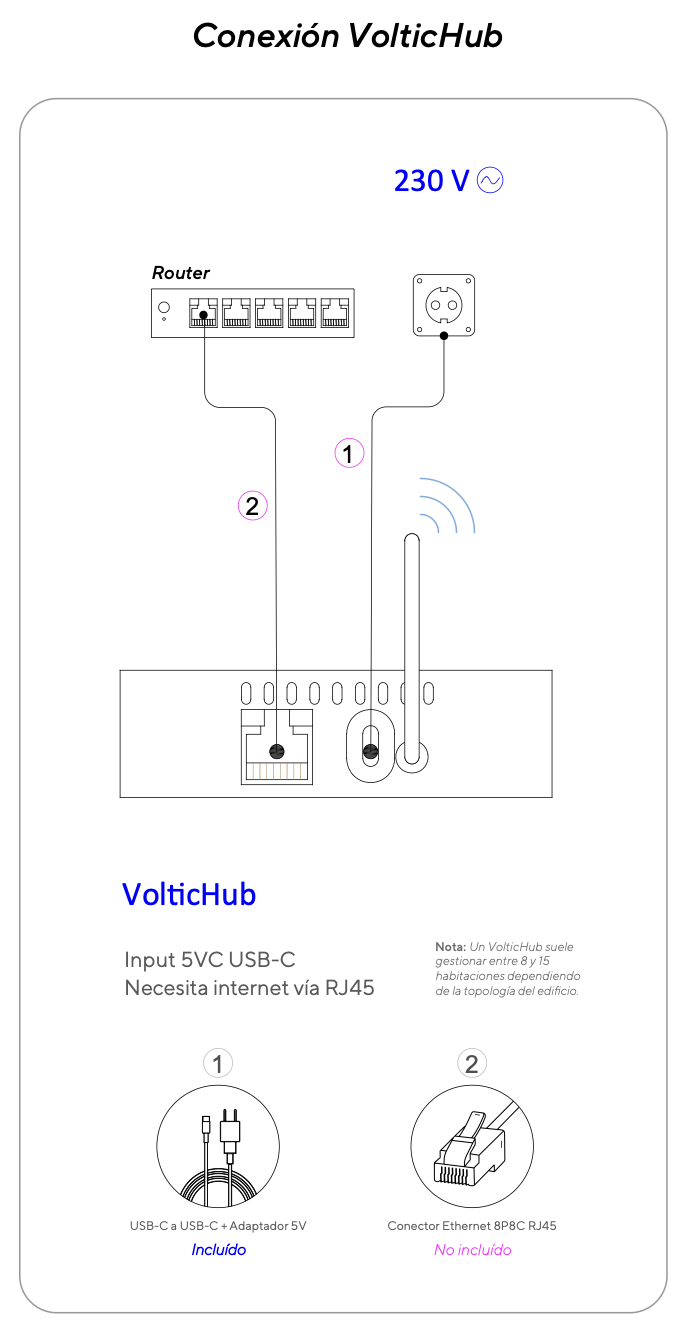
You can watch a reference video of the RJ45 cable connection at: [https://r2.voltic.es/media/installation-docs-assets/voltichub/voltichub-conectar-rj45.mp4](https://r2.voltic.es/media/installation-docs-assets/voltichub/voltichub-conectar-rj45.mp4)
## Zigbee repeaters
Zigbee repeaters extend network coverage to rooms far from the Hub. Apply the same location rules: clear area, accessible, and without metal cabinets. They require 24/7 power.
## Next step
* [Prerequisites: kit verification](/en/installation/requirements)
* [Install the Voltic Switch](/en/installation/voltic-switch)
## Related topics
- [Voltic Installation Prerequisites](/en/installation/requirements.md)
- [Help Center](/en/index.md)
- [Voltic Device Installation Guide](/en/installation/index.md)