
The recommended topology is one Hub per floor: approximately 10–15 rooms and up to about 150 devices per Hub as a reference. Rooms must remain on the same floor; use repeaters or an additional Hub when the coverage survey requires it.
Recommended location
- Technical space or hallway ceiling on the corresponding floor
- With accessibility and clear visibility (avoid metal cabinets or shielded areas)
- The antenna must be at 90 degrees (perpendicular to the hub)
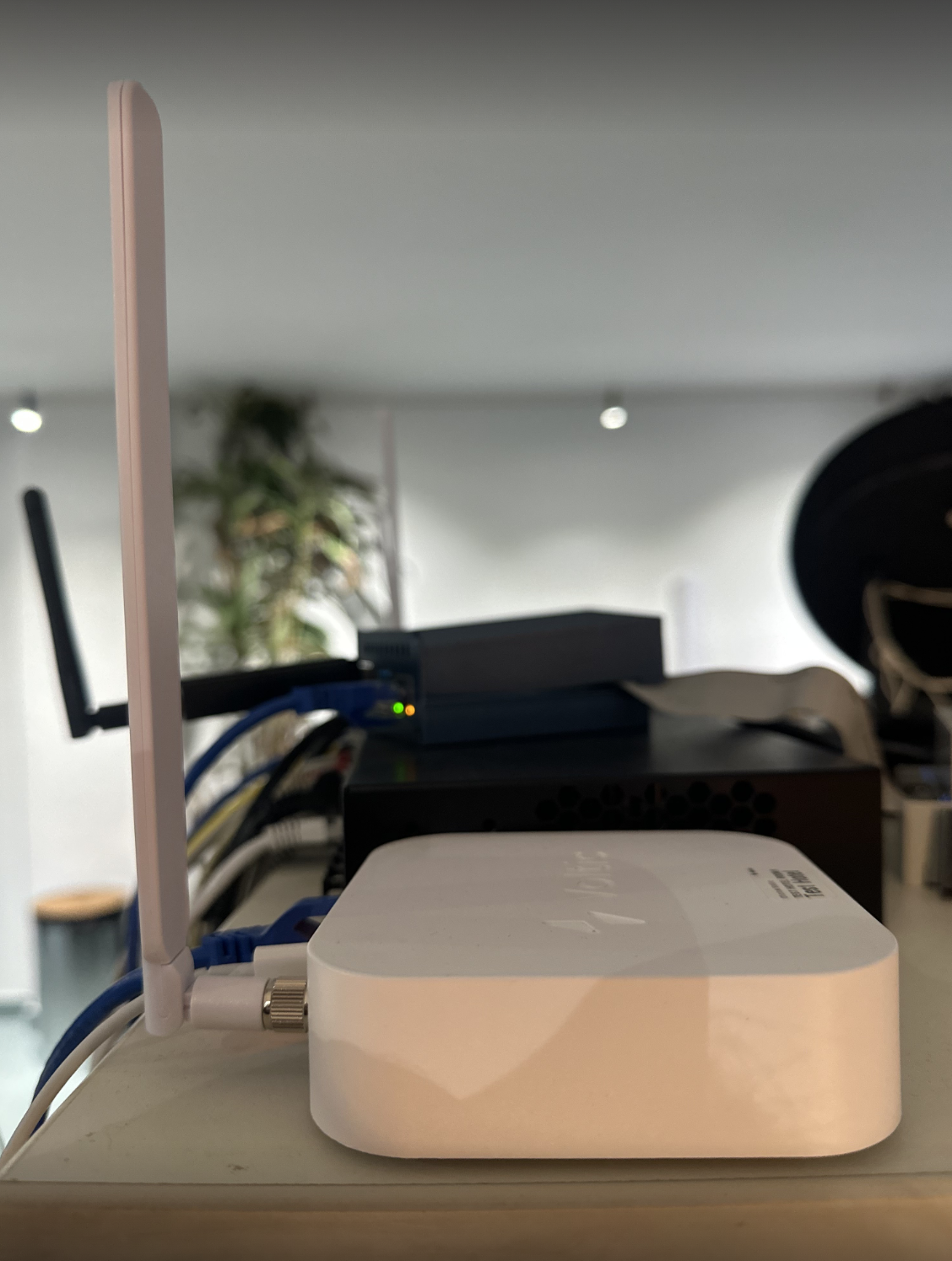
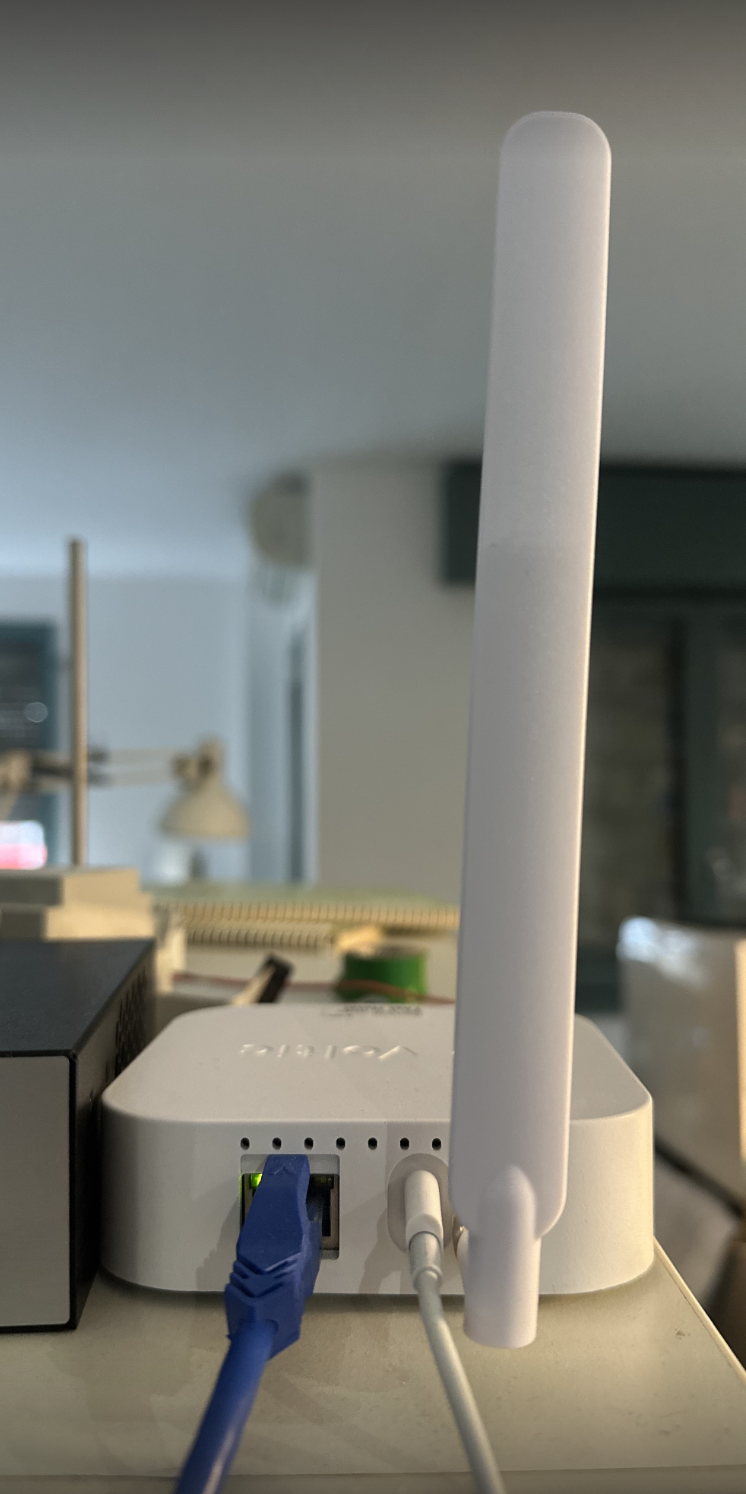
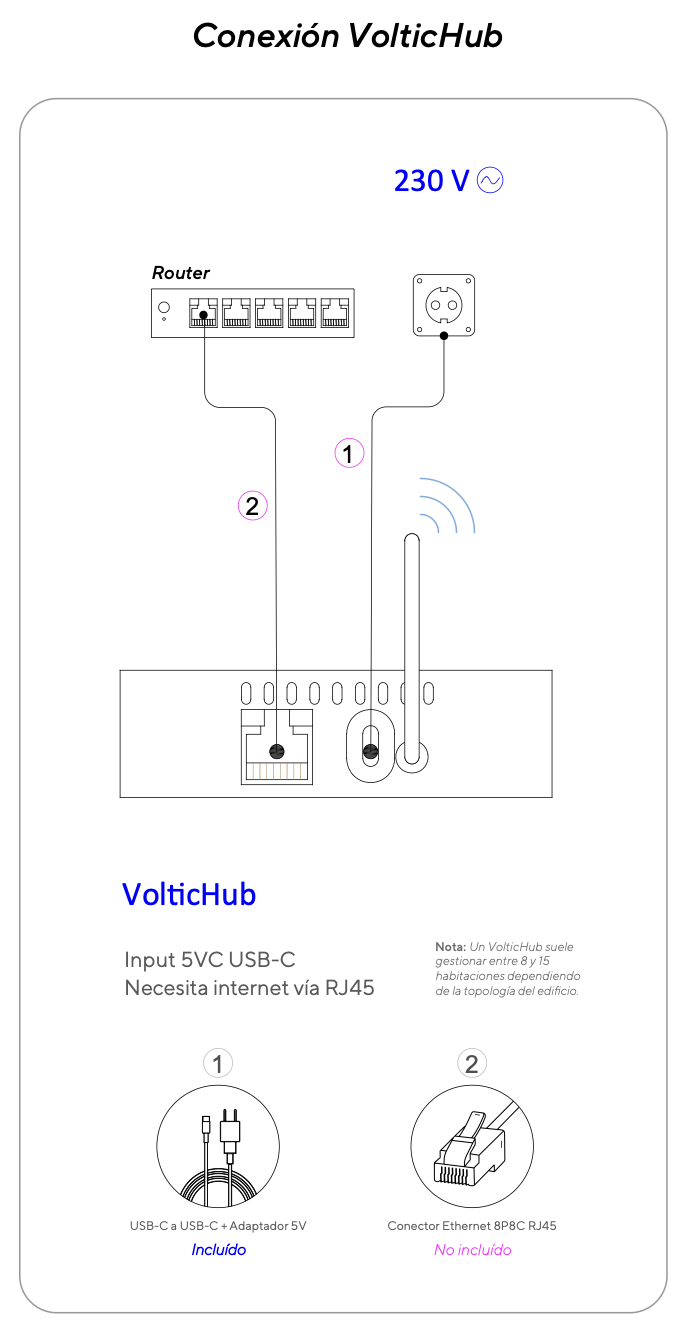
VolticHub connection
1
Connect the RJ45 cable first
Connect the Ethernet cable (RJ45) to the Hub port before plugging in the power. This ensures the Hub boots with available network connectivity.
2
Connect the 230V power supply
Once the Ethernet is connected, connect the 230V power supply to the Hub. Wait a few minutes for the system to start correctly.
Always connect the RJ45 before the power supply. If you reverse the order, the Hub may boot in Wi-Fi mode even if Ethernet is available.
Local operation without Internet
The VolticHub manages Zigbee communication and room automations locally. Therefore, the system can continue operating even when the Hub has no Internet access. A communication error shown for a room in the platform does not necessarily mean that the system has stopped working. Internet access allows rooms to be viewed and controlled from app.voltic.es, as well as their information to be received by the platform.Diagnosing an offline Hub
1
Physically check the power and RJ45 cables
Go to the Hub installation location and verify that both the power cable and the network cable are properly connected. If the Ethernet RJ45 lights are blinking, there is a network link and activity: continue with step 2 to validate that the Hub and local automations are working. If the lights are not on, continue with step 3.
2
If the RJ45 lights blink, validate local operation
Access a room associated with the Hub and check that the expected behavior occurs: when presence is detected, the contactor enables power to the lighting and TV lines, and opening the window disables HVAC according to the configured delay. If everything responds correctly, the Hub and its local automations are working; if the platform still shows no information, contact the hotel’s IT service to review the platform connection. If an automation does not respond, there may be a Hub system issue: contact Voltic Support.
3
If the RJ45 lights are off, check the power supply
Disconnect the Hub power and connect its USB-C cable to a mobile phone as an initial check of the power supply and cable. If the phone charges, continue with step 4 to check the network; this test alone does not rule out a fault in the Hub connector or electronics. If it does not charge, check the outlet, power supply, and power cable. After correcting the issue, repeat step 1; if power cannot be restored, contact Voltic Support.
4
If the phone charges, check the network with the hotel's IT service
Ask IT to check whether the Hub appears in their system. If it does not, they must check the network point where it is connected and confirm that the device is not blocked. After any correction, repeat step 1 and then step 2. If the Hub appears correctly but all rooms remain disconnected or show a communication error, contact Voltic Support.
5
Contact Voltic Support if the problem persists
If, after completing all the checks above, the Hub or the rooms are still not working, contact Voltic Support. Report all checks performed, their results, and that the problem persists so that we can review the system and apply the appropriate solution.
Connection diagram
 You can watch a reference video of the RJ45 cable connection at: https://r2.voltic.es/media/installation-docs-assets/voltichub/voltichub-conectar-rj45.mp4