Proper system operation depends on: proper system installation, correct initial configuration, and appropriate operational use by the hotel. Energy savings values are estimates based on standard operating conditions and may vary depending on building type, room orientation, weather conditions, guest usage habits, and hotel operational configuration.
Common condition for both modes
State table
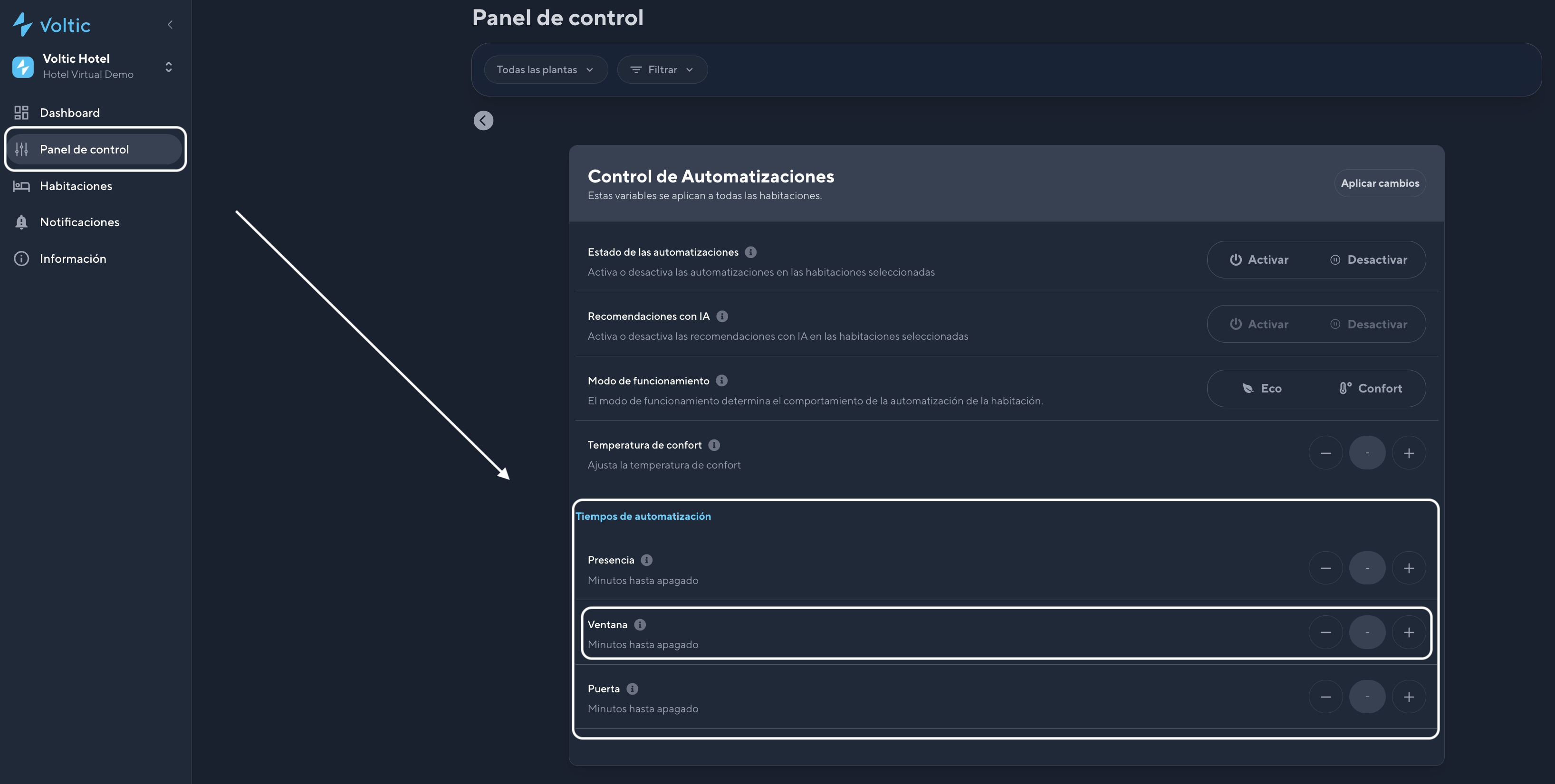
The table below summarizes the result of the selected mode and the room signals. Presence and window timers are configured in the Control Panel.ECO Mode
ECO mode prioritizes energy efficiency, reducing HVAC operation when the room is unoccupied. It is the recommended mode for standard hotel operation.How it works
The system detects guest absence using sensors. If ECO is selected and no presence is detected for 5 minutes, the air conditioning turns off automatically. This interval can be modified from the Control Panel, under Automations, in Automation Times, in the Presence section.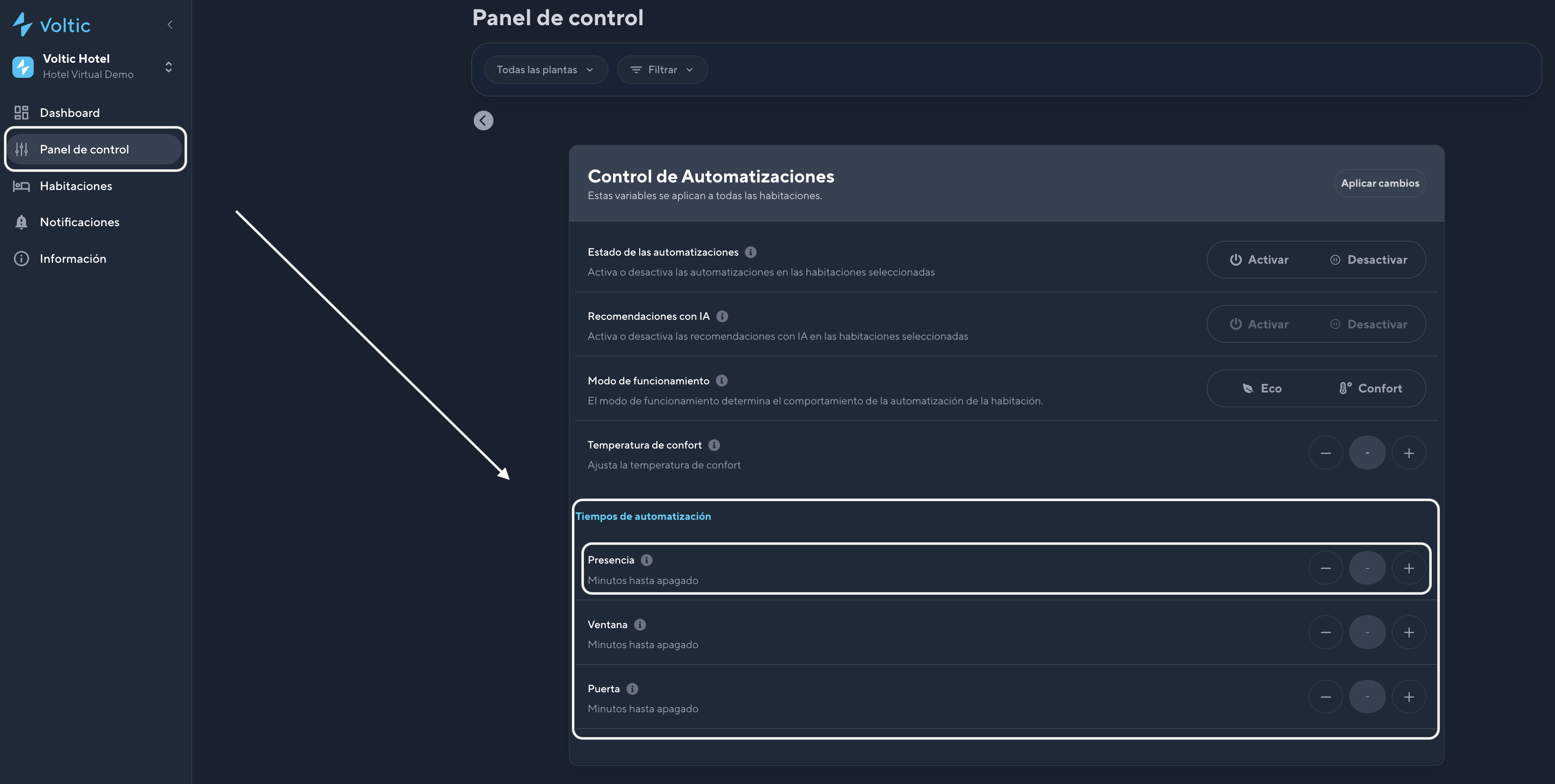
Unlike COMFORT mode, ECO mode does not maintain a setpoint temperature when the room is empty. The HVAC system turns off completely.
Configuration
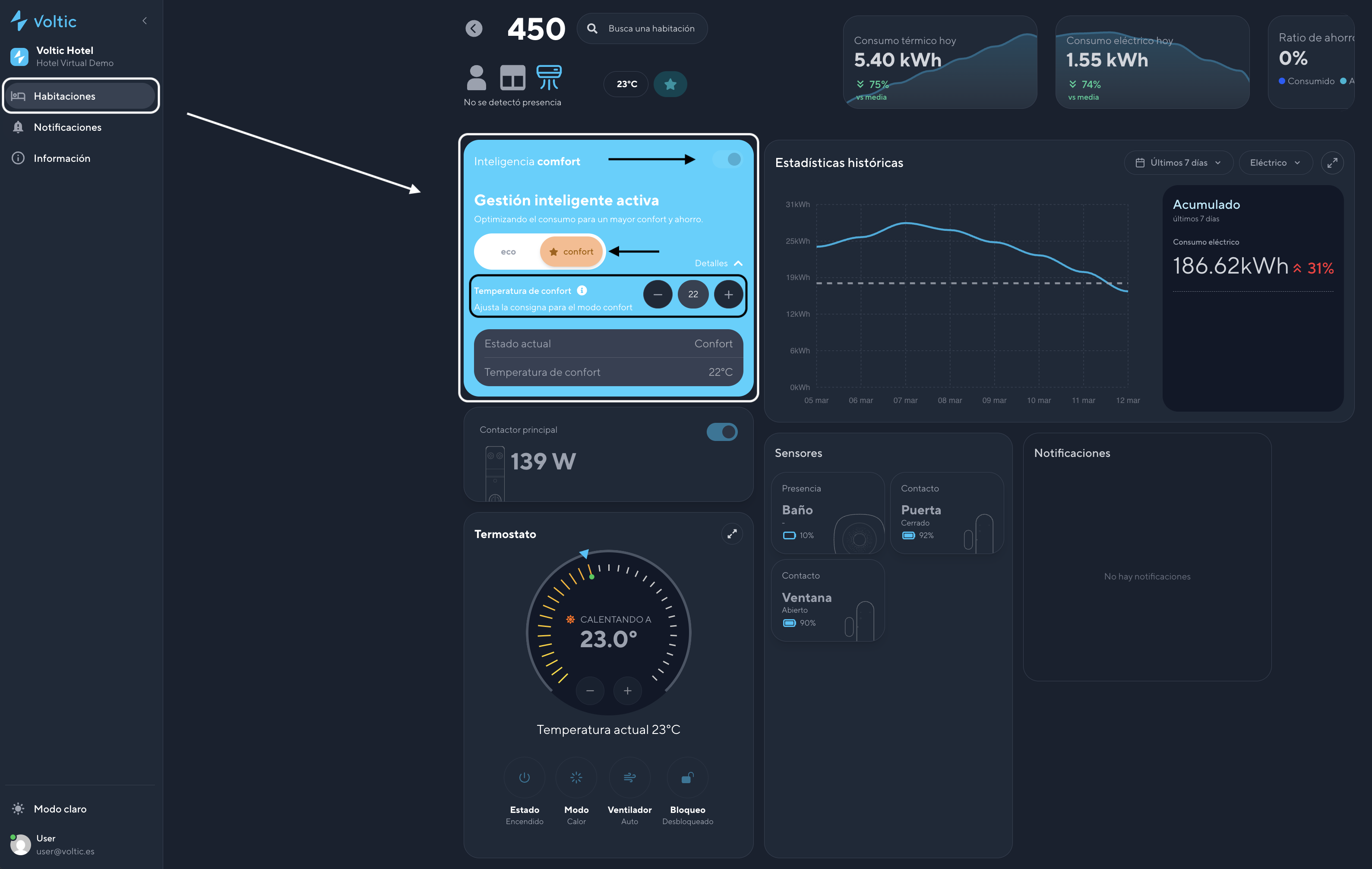
Centralized configuration (for multiple rooms from the Control Panel):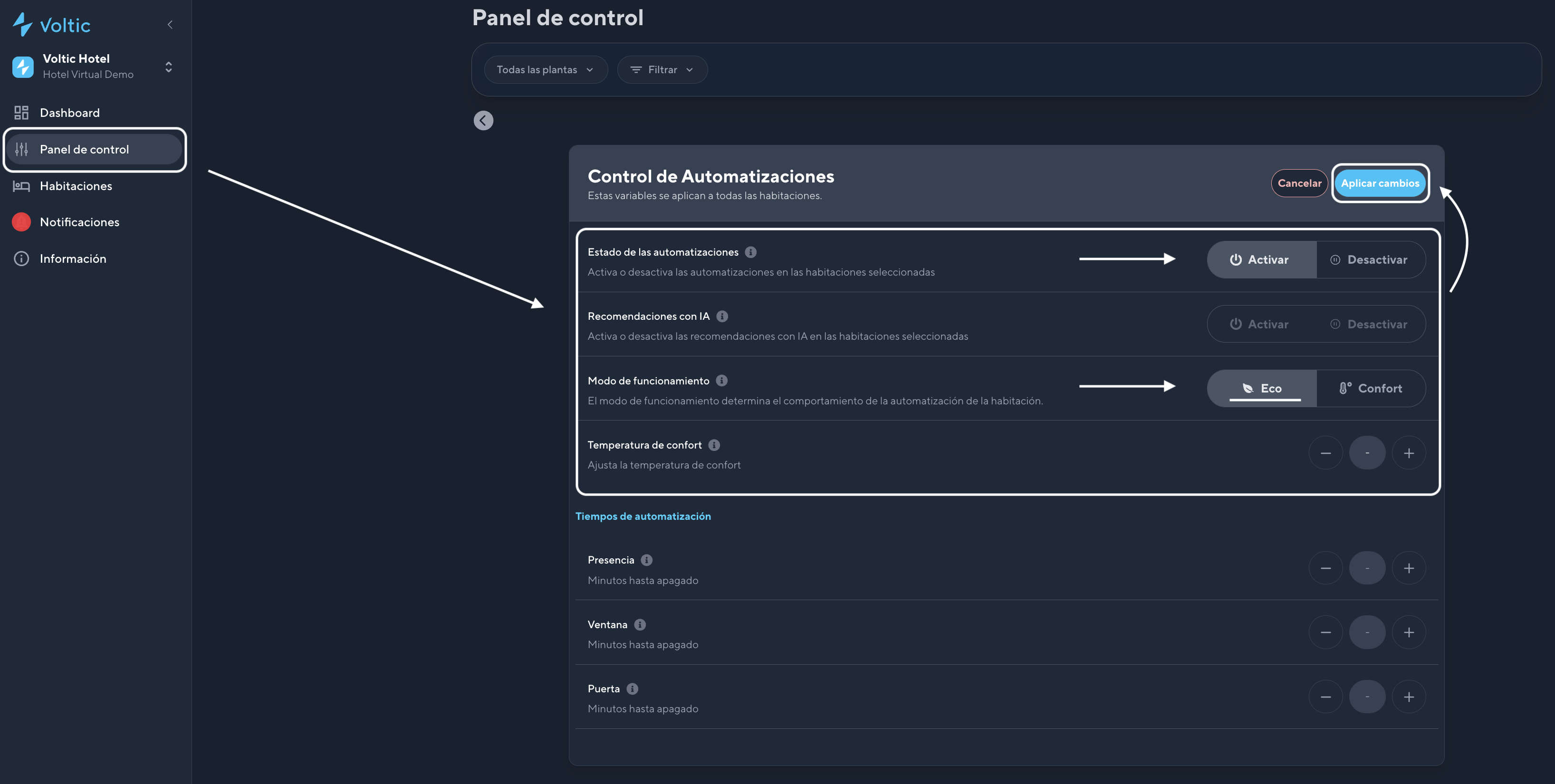 Individual configuration (from the intelligence panel of each room):
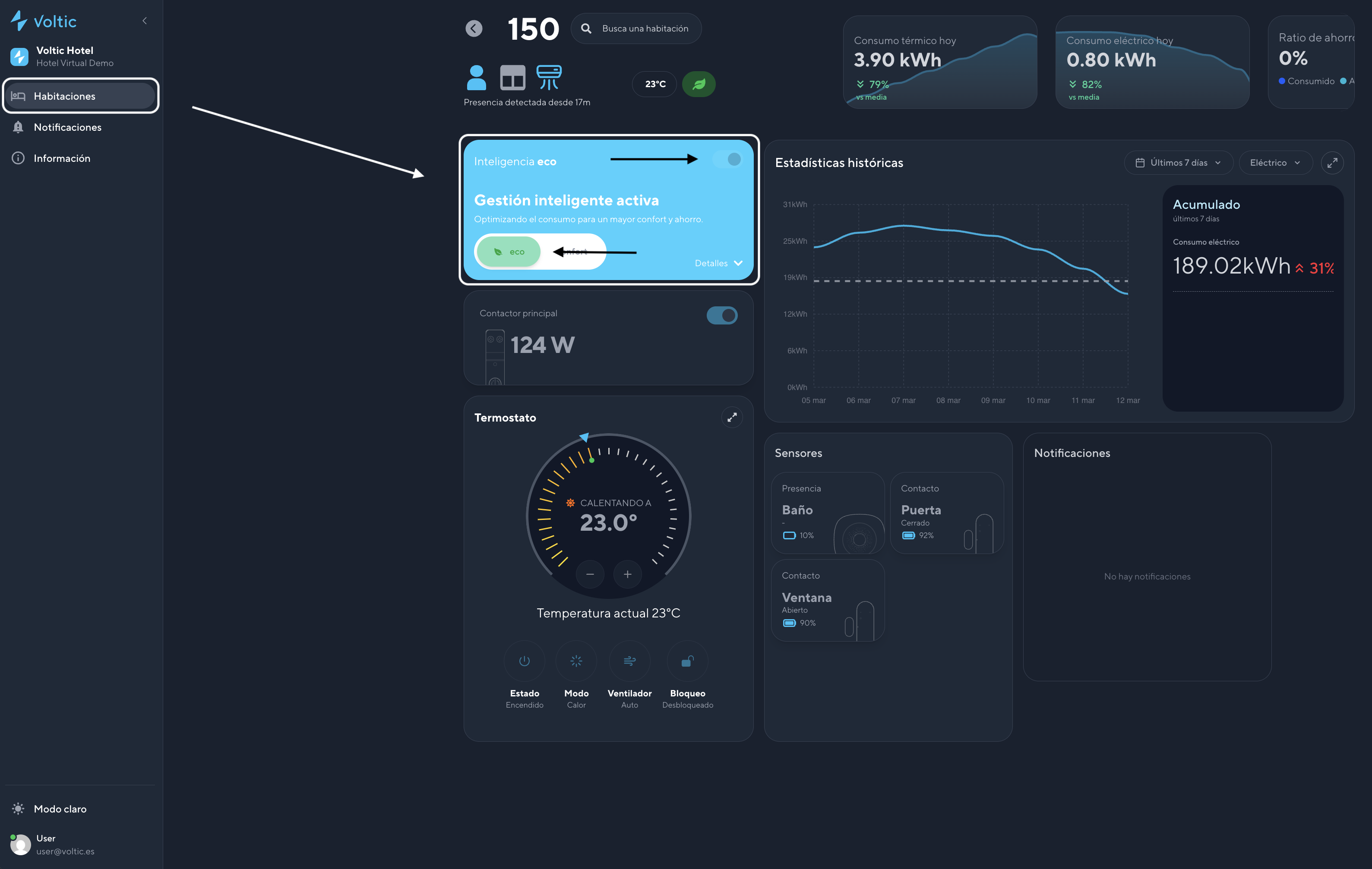
Benefits
- Reduces energy consumption in unoccupied rooms
- Automates HVAC shutdown based on occupancy
- Improves overall hotel energy efficiency
COMFORT Mode
COMFORT mode prioritizes guest thermal wellbeing, keeping the room within a comfortable temperature range even when no presence is detected.How it works
When the guest leaves the room, the HVAC remains active as long as the window is closed. The system maintains a predefined comfort temperature of 24°C.Configuration
Group configuration (from the Control Panel, under Automations, in Comfort Temperature):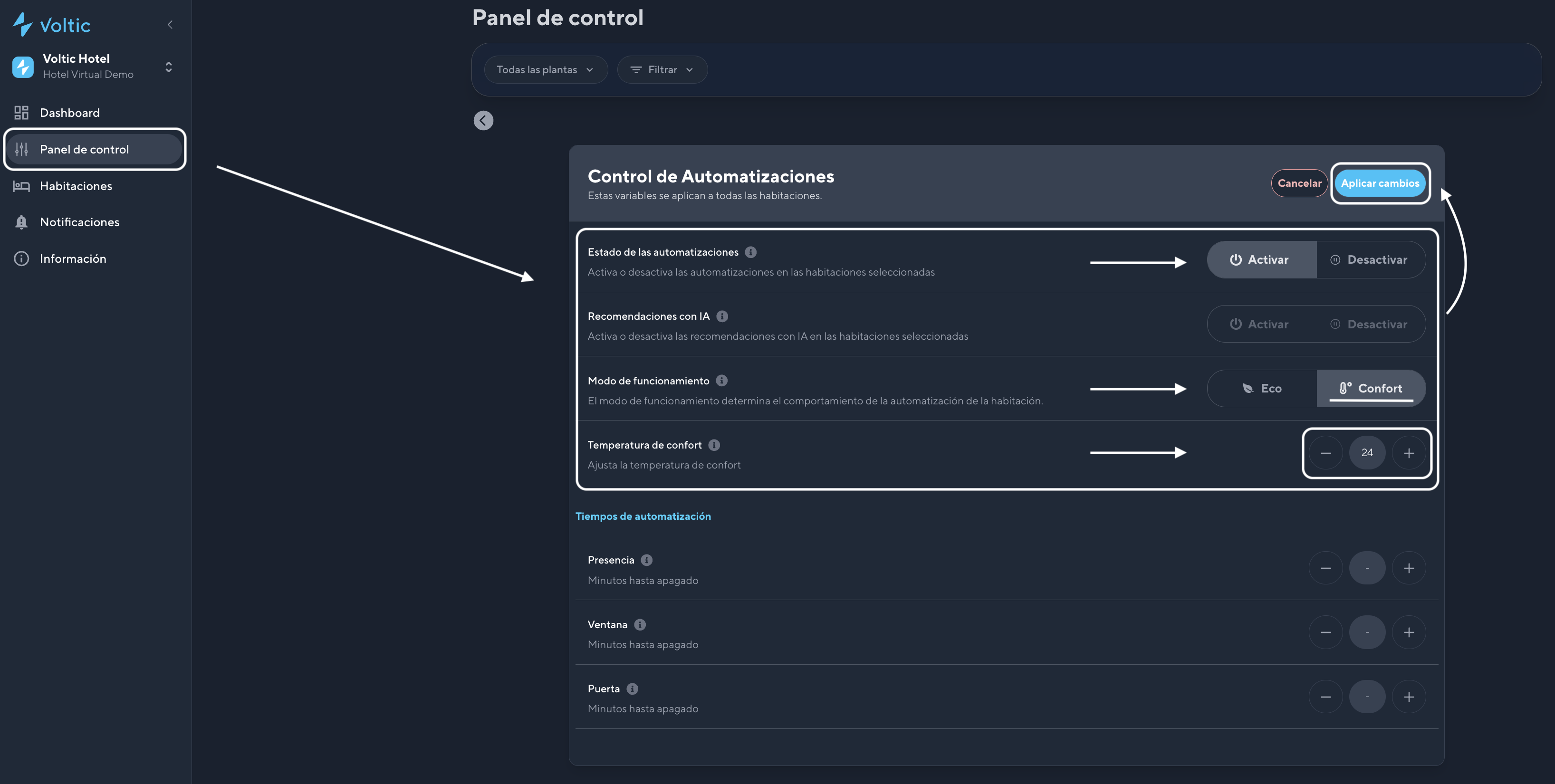 Individual configuration (from the intelligence panel of each room):