
Technical specifications
Where to install it
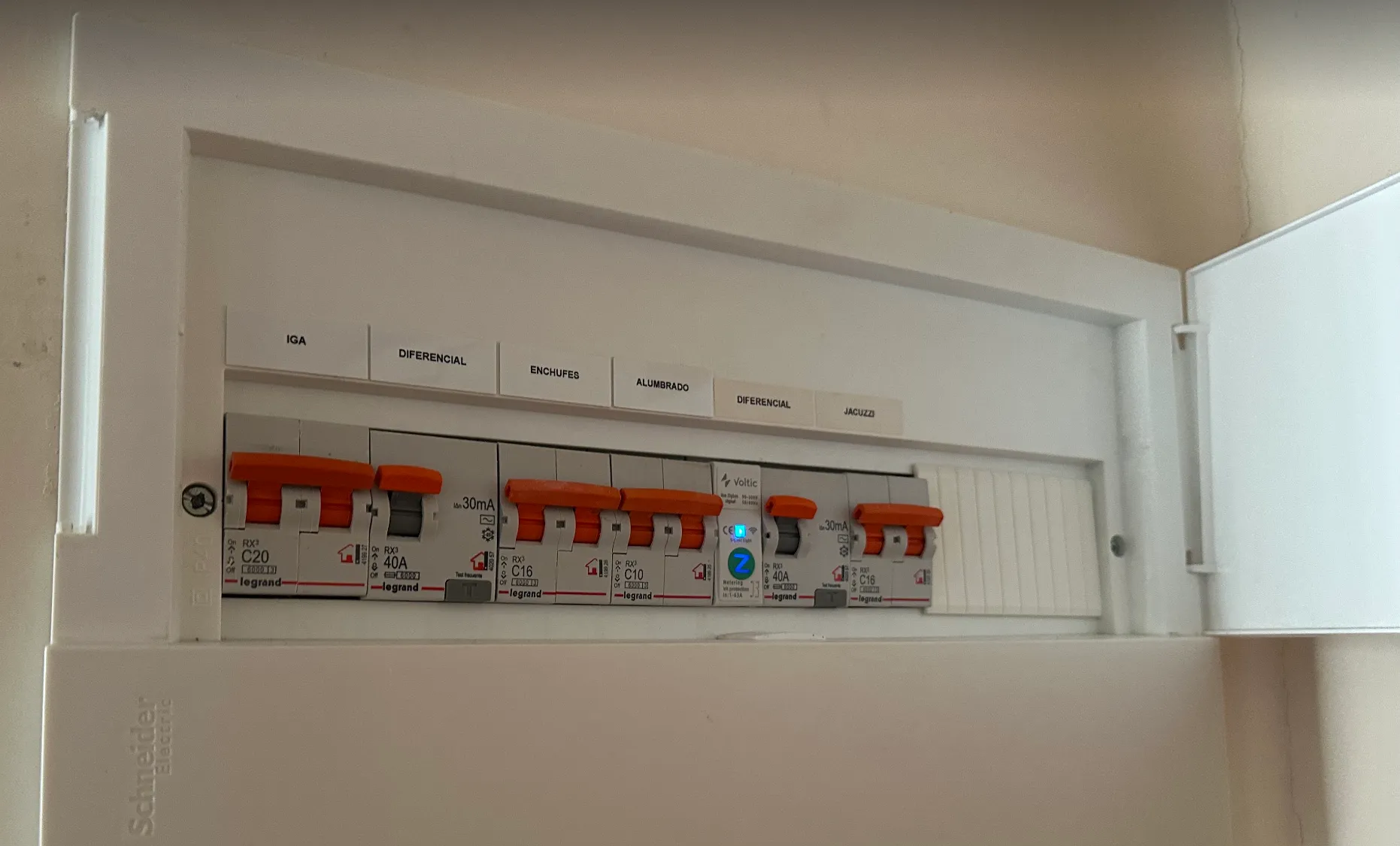
Install the Voltic Switch in the room’s electrical panel or in an accessible technical area, right after the circuit breaker on the general line, on the output line to TV + lighting.Connection and wiring
- 230V input: from the 24h circuit breaker
- 230V output: to the lighting and TV subcircuits
- Control: Zigbee signal from the VolticHub
- Active and reactive power
- Power factor
- Historical consumption
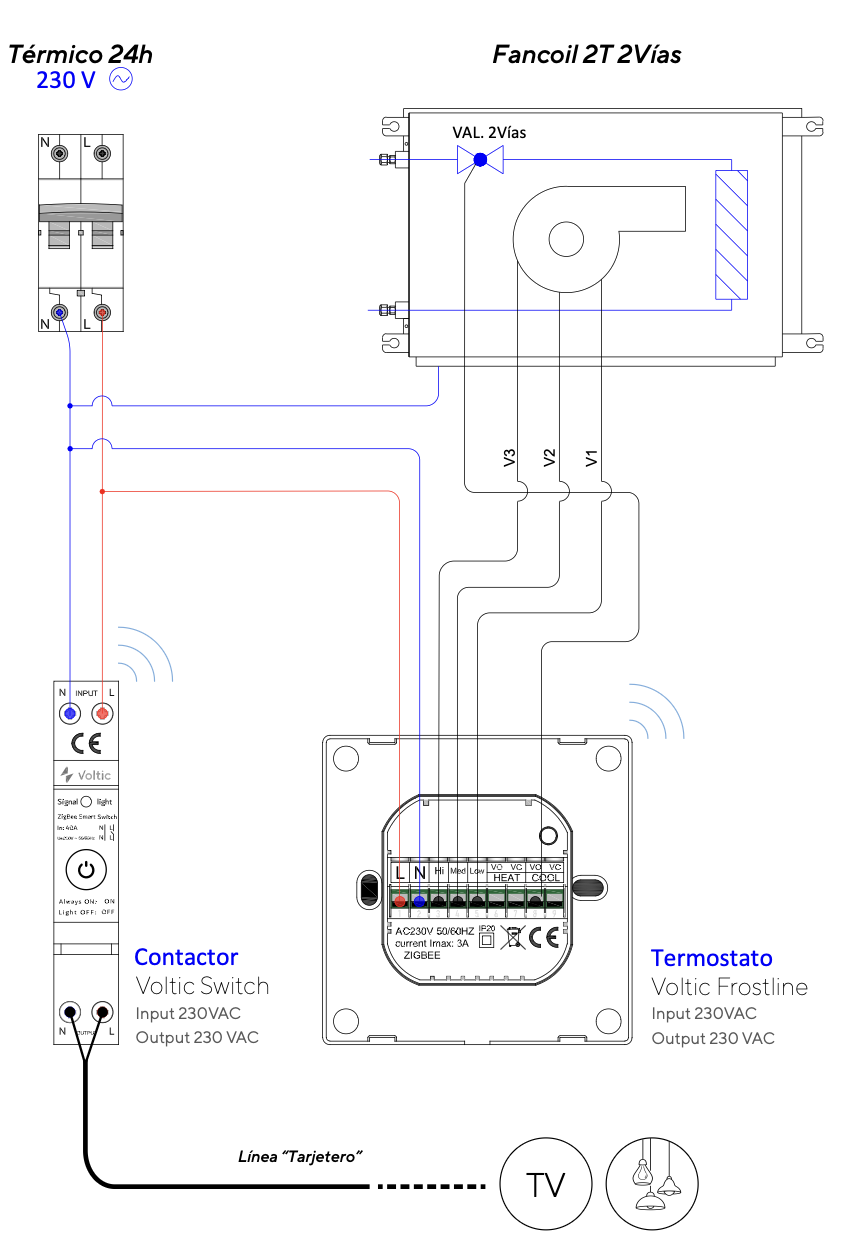
Mounting
Mount the Voltic Switch on the standard DIN rail of the electrical panel. Ensure adequate pressure and firm fixation.Installation example
Post-installation checks
1
Verify the 230V input
Check with a multimeter that 230V reaches the input terminals of the contactor.
2
Verify the output according to activation signal
Check that the output responds correctly when the system sends the activation signal.
3
Simulate presence
Manually activate the presence sensor and confirm that the Voltic Switch enables the lighting line.
4
Verify synchronization on the platform
Go to app.voltic.es and confirm that the device appears synced and reports the correct status.